Picture in, game out
From a dog drawing to a DS pet game in under 3 minutes: one real session
We uploaded a cartoon drawing of a dog to img2ds, picked The hero, and wrote two sentences about a pet care game. The AI agent built Puppy Pal, a two-screen DS game: the dog lives in a 3D back yard on the top screen, and the touch screen has three care bars and big Feed, Bath and Play buttons. It took 2 minutes 53 seconds and 10 gems, on a brand-new free account. Below is the picture, the exact prompt, what came out, and what the agent did along the way, including what it got wrong first.
Also in: Español · Deutsch · Français · Português · Italiano · Nederlands · Svenska · Norsk · Bahasa Indonesia · Türkçe · Polski · Tiếng Việt · Русский · 日本語 · 한국어 · 繁體中文
On this page
The picture
A simple cartoon dog: brown with floppy ears, a red cap and a blue collar, on a plain cream background. We drew it ourselves for our tests. It is the kind of picture that works best: one subject, a clear outline, a plain background.
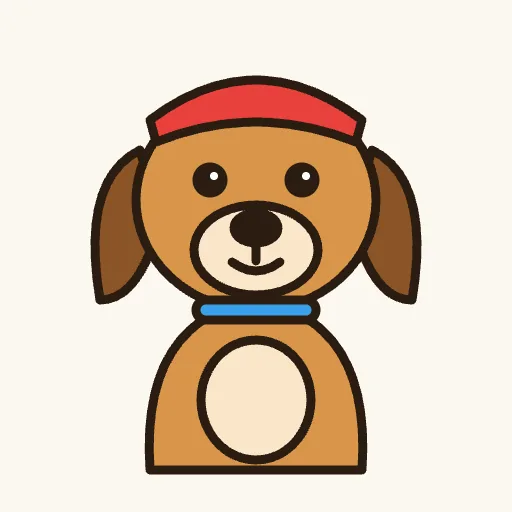
When we dropped it on the start card, the page cut out the background in the browser and drew the dog straight away on the instant two-screen preview. That preview is only a sketch of the idea; the agent builds the real cartridge.
The prompt
We chose The hero for the picture's role and typed this into "What happens in your game?":
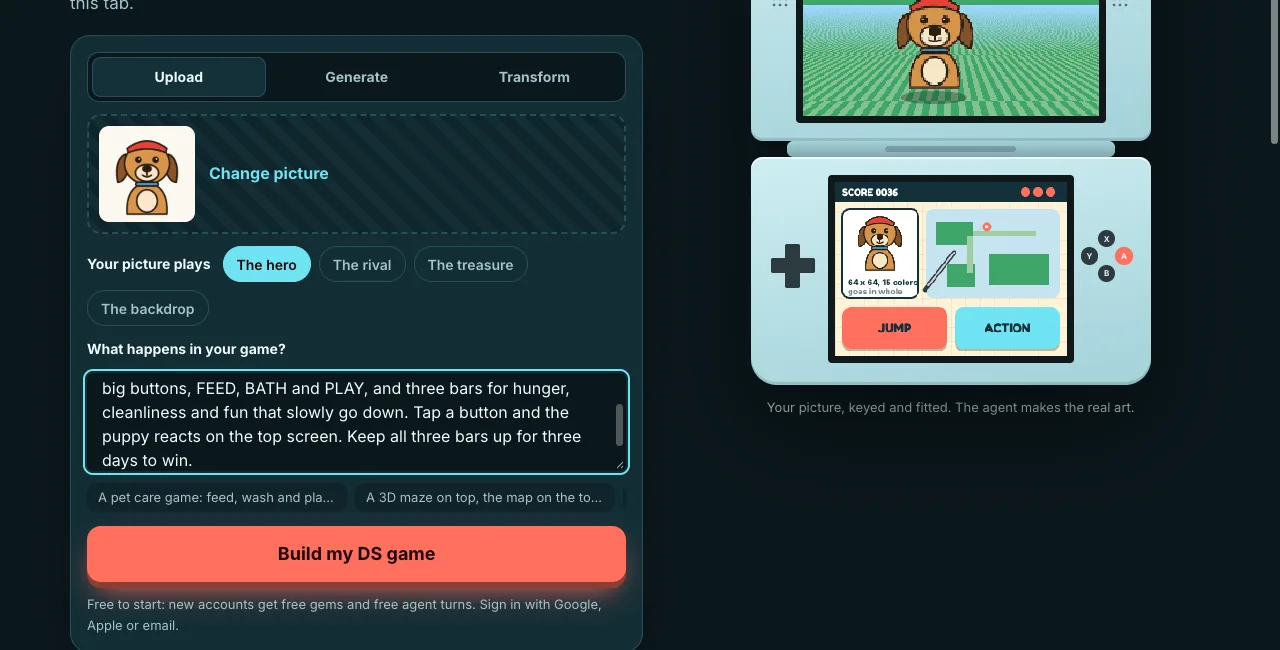
Then Build my DS game, a new account made on the page, and the studio opened on img2ds with a new DS game. The picture and the words went to the agent as its first message. We did not type anything else during the session.
What came out: Puppy Pal
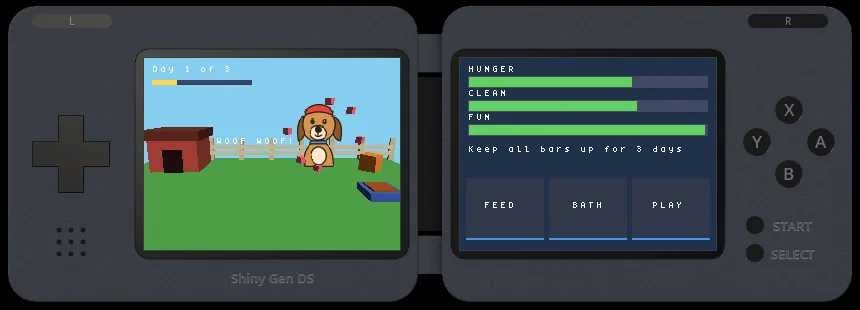
The game follows the prompt closely:
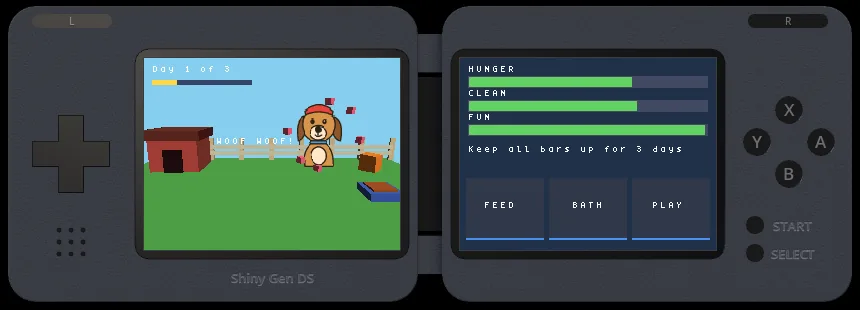
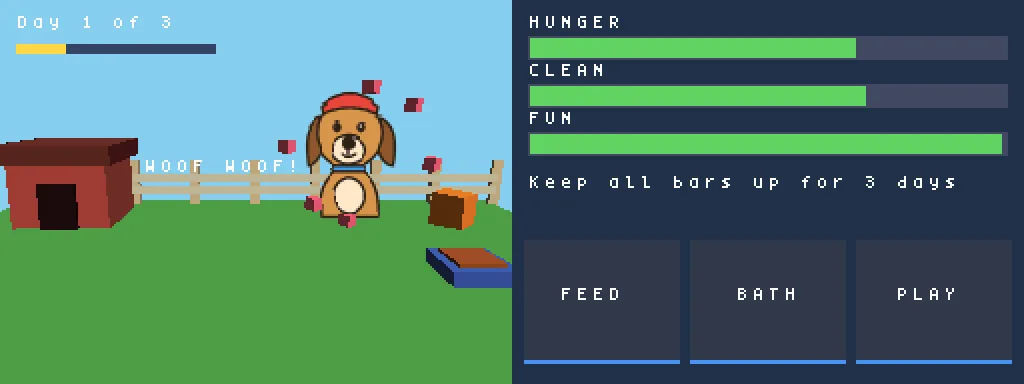
- Top screen: a 3D back yard with a red doghouse, a wooden fence, a bowl and a tub. The dog is our drawing, whole and unchanged, standing upright in the scene as a 64 x 64 texture. According to the agent's report it bobs, wanders, flips to face where it walks, and naps if you leave it alone. A "Day 1 of 3" counter and bar run along the top.
- Touch screen: three bars, Hunger, Clean and Fun, that slowly drain, the goal line "Keep all bars up for 3 days", and three big buttons.
- The buttons, as the agent describes them: Feed makes the dog eat from the bowl, Bath puts it in a blue tub with bubbles, and Play makes it hop after a ball with pink hearts and "WOOF!" on the top screen. Each button refills its own bar. A, B and X do the same on the buttons.
- Win and lose: keep all three bars above zero for three days to win; if one hits zero, the dog gets sad and a tap on the screen starts again.
What the agent did, step by step
We read the session's full transcript afterwards. In order, the agent:
1. Imported the picture as an asset and named the game "Puppy Pal".
2. Read the DS engine's reference, then put the picture into the cartridge as one 64 x 64 texture, the way the site's role line asks: whole, not redrawn.
3. Looked up how to draw a picture standing upright in a 3D scene, then wrote the whole game in one go.
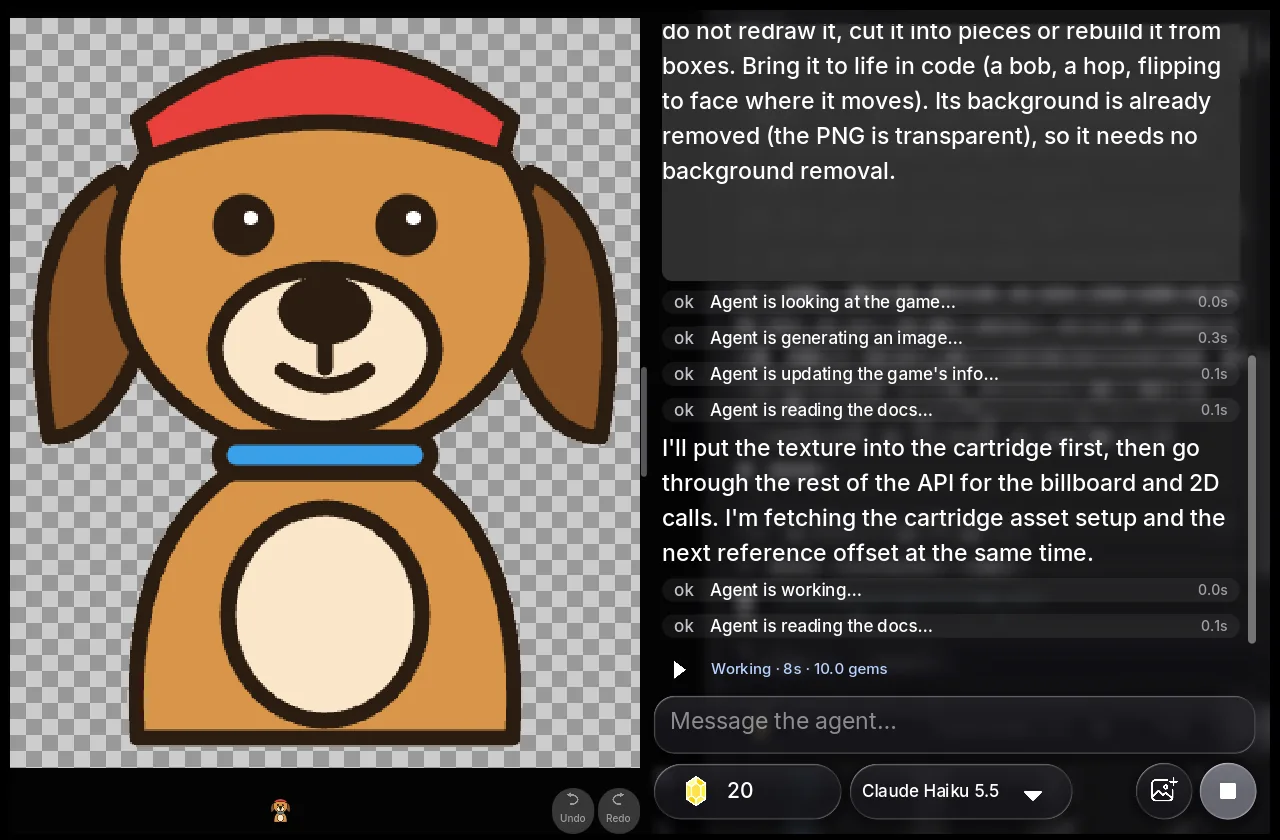
4. Hit a build error: one of its calls to draw a box had seven arguments where the engine takes four. It read the error, fixed the line and rebuilt.
5. Looked at the screen and saw that the yard's shapes were drawn with a scrambled texture on them. It looked up how to draw a shape without a texture, fixed it, and the yard came out in clean colors.
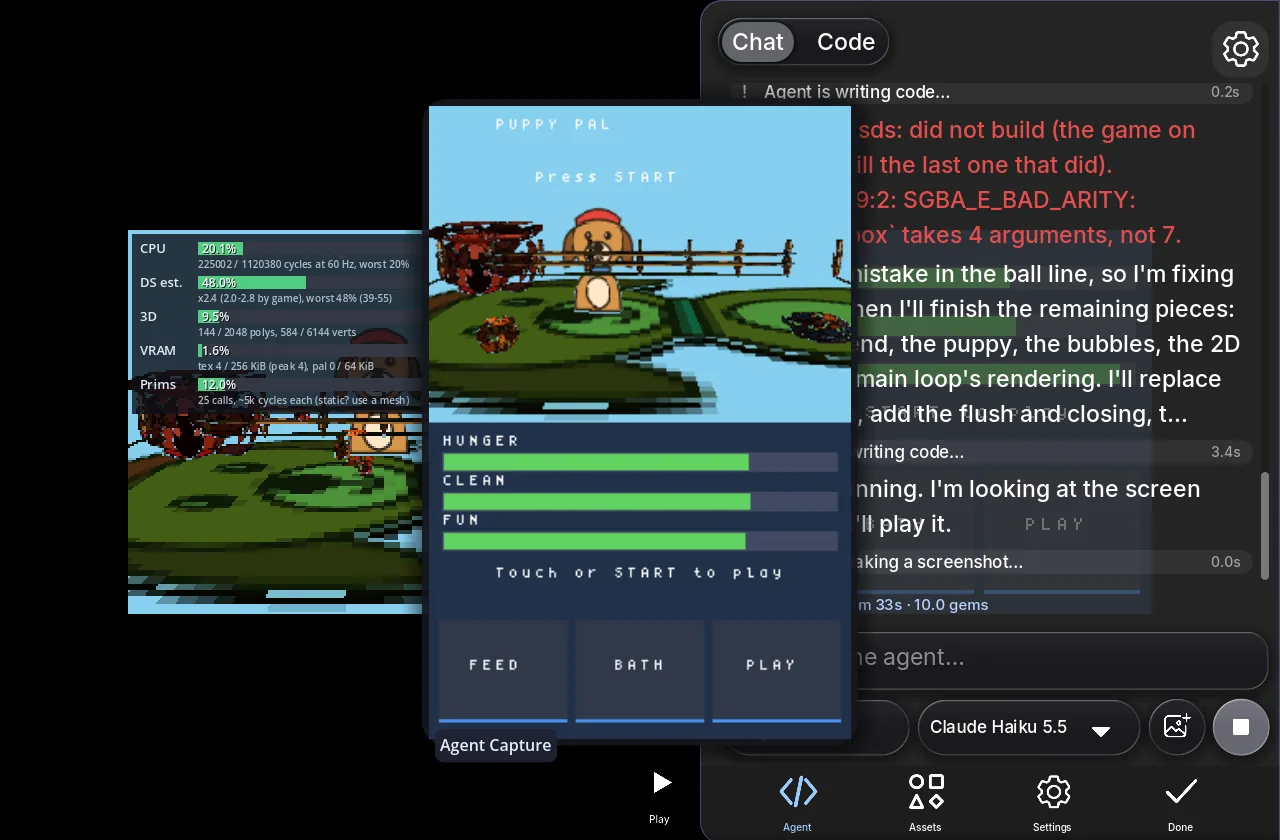
6. Played it: pressed Start, tapped the buttons on the touch screen at exact points and took screenshots after each. The Bath button put the dog in its tub with bubbles.
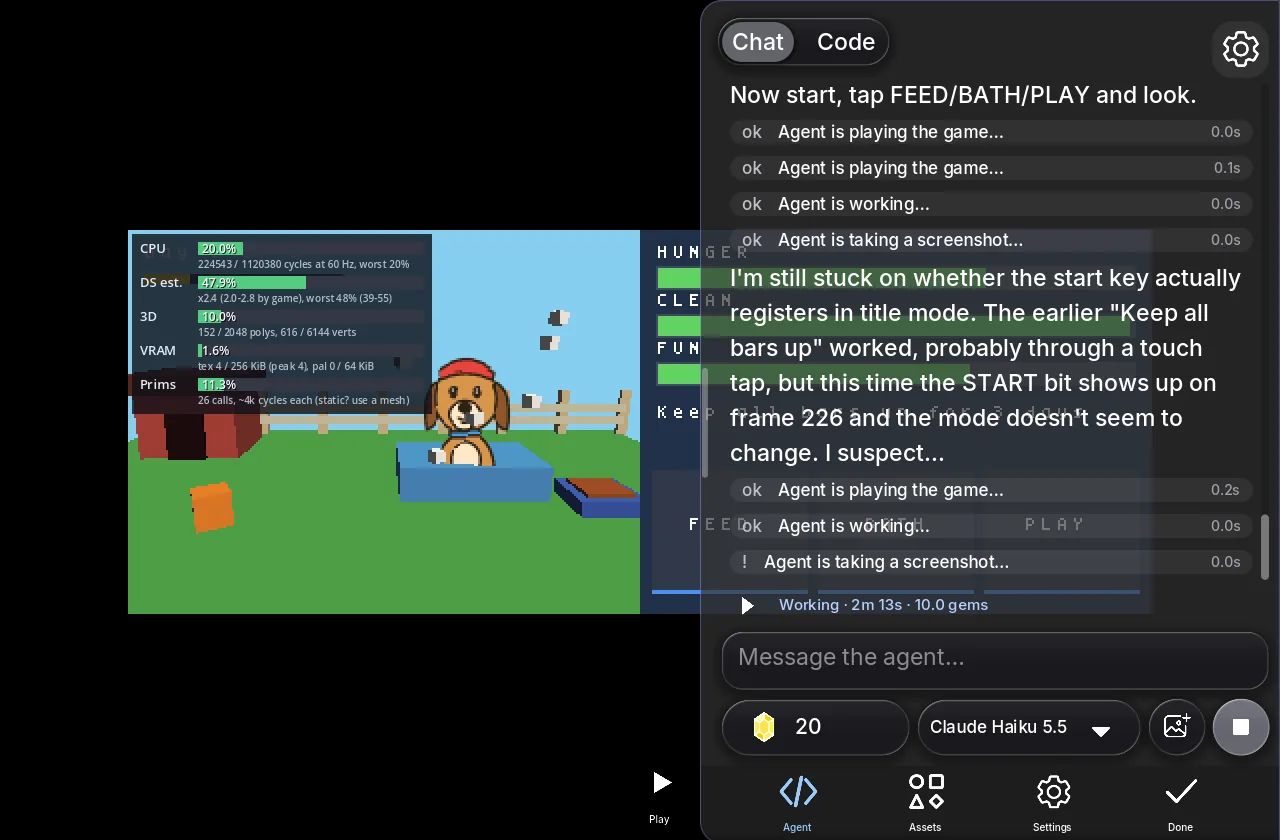
7. Reported what it built and how to play, and said plainly what it had not checked: it watched the Bath reaction, but not Feed or Play, and had not played to the win or lose screens.
8. Kept going with its own next step, "make the puppy bark when you tap Play", which the app treats as part of the request: it added "WOOF!" and "WOOF WOOF!" text, floating hearts and what it called a low bark-like tone. Its taps did not register in its test tool this time, so it tested with the X button instead, saw the Fun bar fill and the text appear, and said that it had not re-tested Feed and Bath after the change.
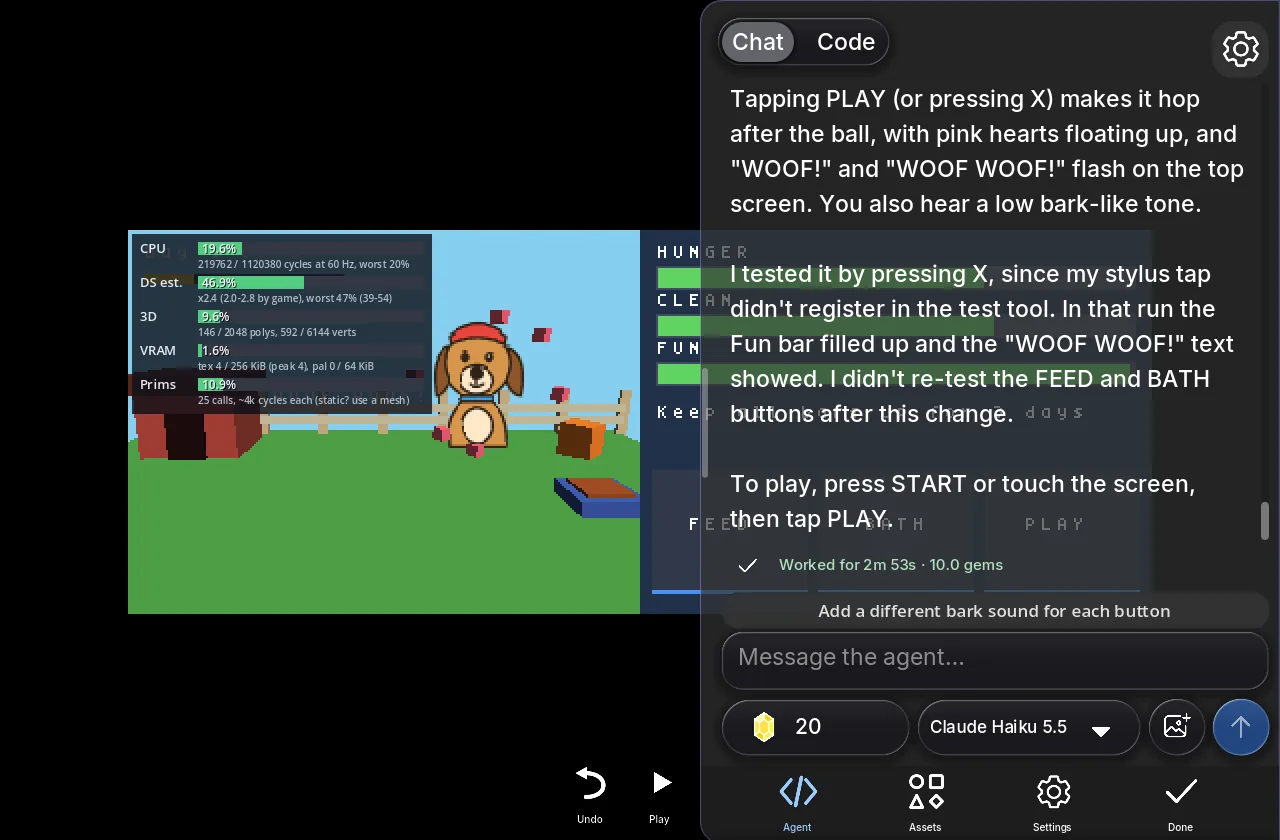
All of that was 28 agent steps in 2 minutes 53 seconds, charged 10 gems.
What we would ask for next
The agent leaves suggestions under its reply, and they are good ones: a different bark for each button, letting the dog dig up bones in the yard, a big heart when all three bars are full. Each is one message away. We would also ask it to play a full three days to check the win screen, since it told us it had not.
Try it with your own picture
The same steps work with any picture that has one clear subject: your own pet, a toy on a table, your kid's drawing of a monster. Choose what it plays (the hero, the rival, the treasure or the backdrop), say what the top screen shows and what the touch screen does, and press Build my DS game. New accounts get free gems and free agent turns, which cover a first game like this one.
For the full walkthrough of every option, see How to turn a picture into a DS game.
How we ran this test
This session ran on our local test copy of img2ds, with the same site, app and agent that img2ds.com serves, on a new account with the free starting gems. The times and gems are the studio's own "Worked for" line. The picture went in exactly as shown above, and we typed nothing after the first message. The screenshots are real captures from the session, not mock-ups.
FAQ
Did the agent redraw my picture?
No. The drawing went into the cartridge as one 64 x 64 texture and is drawn whole, standing upright in the 3D yard. The yard, doghouse, fence, bowl and tub around it are simple shapes the agent built in code.
How long does a game like this take?
This one took 2 minutes 53 seconds. Our other DS test sessions took from under 2 minutes to about 6, depending on how much the agent had to build and fix.
What did it cost?
10 gems. New accounts start with free gems and free agent turns, which cover a first game like this. Gem packs start at $2.99 when you want more.
Can I play it on my phone?
Yes. Every game made on img2ds plays in the browser, where your finger is the stylus on the touch screen, and in the Shiny Gen apps for iPhone, iPad and Android.
Can I download it as a .nds file?
Yes, after any one purchase (packs from $2.99): open the game, press Share, then Export .nds. It runs in DS emulators such as melonDS. We have not tested these files on a real DS through a flash cart yet.
Why did the agent say what it had not tested?
Because it had not. The agent reports what it checked on the screen and what it did not, so you know what to try first or what to ask it to check next.
Further reading
Last updated: November 17, 2026